

Introduction
RCS, or Rich Communication Services, is the upgrade to the messaging app that comes built into Android phones. For businesses, it means messages in the familiar SMS inbox can carry a verified brand identity, images, buttons, and interactive layouts, without asking customers to install anything new.
If you already know why RCS matters, the next question is how to use it well. This guide walks through the building blocks of RCS business messaging, how fallback to SMS works, and practical use cases by industry, so you can plan campaigns that make the most of the format.
The Building Blocks of RCS
Verified Sender Profile
Every RCS business agent has a profile with your brand name, logo, colour, description, and contact details. Once verified, it shows a badge in the conversation. Customers can see at a glance that the message is genuinely from you, which matters when spam and phishing messages are common.
Rich Cards
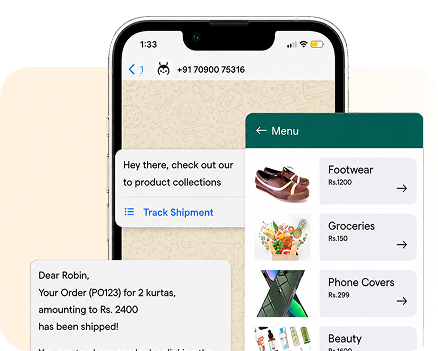
A rich card combines an image or short video, a title, a description, and up to a few action buttons in one block. Use it for a product highlight, a booking summary, a boarding pass, or a payment due notice with a pay button. Keep the headline short and the image clear on small screens.
Carousels
A carousel places several rich cards side by side that customers swipe through. It works well for product collections, plan comparisons, property listings, or a choice of appointment slots. Show a focused set of options; too many cards make the choice harder.
Suggested Replies and Actions
Suggested replies are tappable chips such as “Track order” or “Talk to an agent” that send a response back to you. Suggested actions open a URL, dial a number, share a location, or add an event to the calendar. Together they turn a message into a simple, guided conversation.
Fallback to SMS
Not every phone or network supports RCS. With fallback, the platform checks capability and, if RCS cannot be delivered, sends an SMS version instead. Write a clear SMS version of every RCS campaign, with a short link to the same content, and keep its DLT template and sender ID registered.
RCS Use Cases by Industry
- Retail and e-commerce: carousels of new arrivals, festive offers with “Shop now” buttons, order and delivery updates with tracking actions, and back-in-stock alerts.
- Banking and financial services: payment reminders with a pay button, card and UPI transaction summaries, loan offer cards, and branded alerts that help customers spot fraud attempts.
- Travel and hospitality: booking confirmations, boarding passes, check-in reminders, and upgrade offers with images of rooms or seats.
- Healthcare: appointment confirmations with reschedule and directions buttons, lab report notifications, and medicine refill reminders.
- Education: course launches, admission and fee deadline reminders, webinar invites with calendar actions, and result notifications.
- Automotive and real estate: model or property carousels, test-drive and site-visit booking, and service reminders with location pins.
Designing RCS Campaigns That Work
RCS gives you more space, but the best messages are still short. Lead with one clear purpose per message. Use high-quality images sized for mobile, and make button labels specific: “View plans” is better than “Click here”.
Plan the conversation, not just the first message. If a customer taps “Talk to an agent”, where does that go? If they reply with a question you did not expect, what happens? Map these paths before launch and connect them to your support team or chatbot.
Localize where it helps. RCS supports Indian scripts, so you can serve customers in their preferred language, just as you would on SMS or WhatsApp.
Measuring RCS Performance
RCS reporting goes further than SMS. Alongside delivery, you can see when a message was read and which suggested replies or actions customers tapped. Track these separately from fallback SMS, so you understand how each format performs on its own.
- Delivery split: how many messages went as RCS and how many fell back to SMS.
- Read rate: how many RCS messages were opened.
- Interaction rate: taps on buttons, cards, and suggested replies.
- Outcome: orders, bookings, payments, or support resolutions that followed.
Use these numbers to compare card layouts, button labels, and send times, and to decide which journeys deserve RCS next.
Getting Started
- Prepare your brand assets: logo, banner, colours, description, and verified contact details.
- Complete brand verification for your RCS agent through your provider.
- Choose one or two use cases and design the RCS and SMS fallback versions together.
- Test on different Android devices and networks before going live.
- Measure delivery, reads, and button taps, then refine content and expand.
Conclusion
RCS brings verified identity, rich media, and two-way interaction to the native inbox, while SMS fallback protects your reach. It is well suited to the moments where seeing and tapping beats reading and typing.
Growtele helps you set up RCS, manage fallback to SMS, and track results in one dashboard, alongside WhatsApp, Voice, and Email, so you can choose the right channel for every message.
See how Growtele runs OTPs, alerts, and campaigns reliably at any daily volume.