

Introduction
Every support team knows the pattern. A large share of incoming questions are the same few things: where is my order, how do I reset my password, what are your timings, can I reschedule. Answering them by hand ties up agents who could be solving harder problems, and customers wait in a queue for answers that could have been instant.
A WhatsApp chatbot handles these routine queries automatically, at any hour, in the app your customers already use. Done well, it does not replace your support team. It gives them time back and makes sure customers get help quickly, whether they write at noon or at midnight.
What a WhatsApp Chatbot Can Handle
- Order status, tracking links, and delivery rescheduling.
- Account queries such as balances, statements, and invoice downloads.
- Appointment booking, confirmation, and cancellation.
- Returns, refunds, and complaint registration with a ticket number.
- FAQs about pricing, store timings, policies, and service areas.
- Lead capture and qualification before a sales call.
How to Build One That Works
Start With Your Top Questions
Review recent support tickets, call logs, and chat transcripts to find the questions customers ask most. Automate those first. A bot that answers a handful of common questions reliably is more useful than one that tries to cover everything and gets things wrong.
Guide With Buttons and Lists
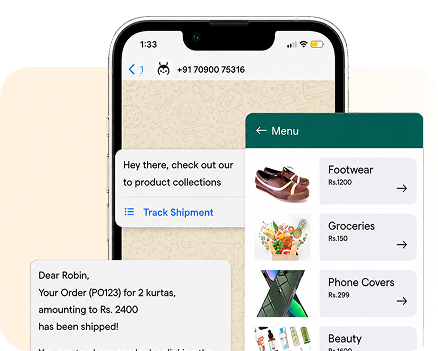
Use quick reply buttons and list messages so customers can tap instead of type. Clear menus reduce misunderstandings and help customers who are less comfortable typing in English. Still allow free text, and recognize common keywords and phrases.
Connect to Your Systems
A chatbot is only as useful as the data behind it. Connect it through APIs to your order management system, CRM, booking calendar, or billing platform, so it can share real order status, send the right invoice, or confirm an actual slot rather than generic answers.
Plan the Human Handoff
Always offer a way to reach a person. Hand the chat to an agent when the customer asks, when the bot cannot understand after a couple of tries, or when the topic is sensitive, like a payment dispute. Pass along the conversation history so the customer does not have to repeat themselves.
Support Regional Languages
Let customers choose their language at the start, or detect it from their first message. Offering Hindi and the main regional languages of your customer base makes support accessible to many more people and builds trust.
Work Within the 24-Hour Window
When a customer messages you, a 24-hour customer service window opens for free-form replies. Resolve issues inside it where possible. For follow-ups after the window closes, such as a refund update, use an approved utility template.
Measure and Improve
Track how many conversations the bot resolves on its own, where customers drop off, which questions trigger handoffs, and how customers rate the experience. Read a sample of conversations every week. They will show you missing answers, confusing menu labels, and new questions worth automating.
Keep the content current. When prices, policies, or store timings change, update the bot the same day, so it never gives customers outdated information.
Keep Conversations Safe
Support chats often involve accounts, orders, and payments, so build security into the flow. Verify identity before sharing account details, for example by matching the WhatsApp number to the one on file or sending a one-time password. Never ask customers to type card numbers, PINs, or passwords into the chat, and route payments through secure links.
Be clear about what the bot is. A short welcome message that says customers are chatting with an automated assistant, and how to reach a person, sets the right expectations from the first reply.
Conclusion
A WhatsApp chatbot gives customers fast answers on their schedule and frees your team for conversations that need a human touch. Start with the most common questions, connect real data, and make reaching a person easy.
Growtele helps you build and run WhatsApp chatbot flows with APIs, agent handoff, and reporting, alongside SMS, RCS, Voice, and Email in one dashboard.
See how Growtele runs OTPs, alerts, and campaigns reliably at any daily volume.